
European Geological Data Infrastructure
Intro
From the water we drink and the soil that feeds us, to the infrastructure we build and the raw materials powering digital technologies and the clean energy transition,
geology underpins many aspects of modern society.
- Geological Service for Europe (GSEU), Why Geology Matters for Europe.
EGDI is an online platform that makes harmonised geological information from across Europe easier to discover, view, and reuse. It plays a key role in developing common geological standards, vocabularies and classifications, enabling consistent interpretation and use of geological information across national borders.
The goal for my role on this project was to modernize the EGDI Map Viewer and Data Search to reduce cognitive load and improve discoverability.
Why I care about this
Geology is everywhere — in the water we drink, the materials we build with, and the energy transition shaping our future. Yet the data behind it is often scattered and hard to reach for the people who need it most. EGDI brings geological information from across Europe into one accessible place. Being part of a project that improves how this knowledge is found and understood lets me put my work to a clear purpose — using information architecture, user research and accessible design to make complex geological data understandable to far more people.

Problem Statement
Europe's geological surveys have spent decades collecting and digitising geological data — one of the largest and most valuable geoscience resources on the continent. Since 2016, EGDI has made that data available through a single online platform. In practice, though, the platform can be challenging to navigate, and this plays out differently across its audiences. Geologists, who are its core users, often rely on other sites they're already familiar with. Policy makers tend to approach the data indirectly, reaching out to a geologist rather than navigating EGDI themselves. And for the wider public, the resource hasn't yet been very visible. The value is there; the challenge is helping more people reach it.
Map Viewer (Before and After)
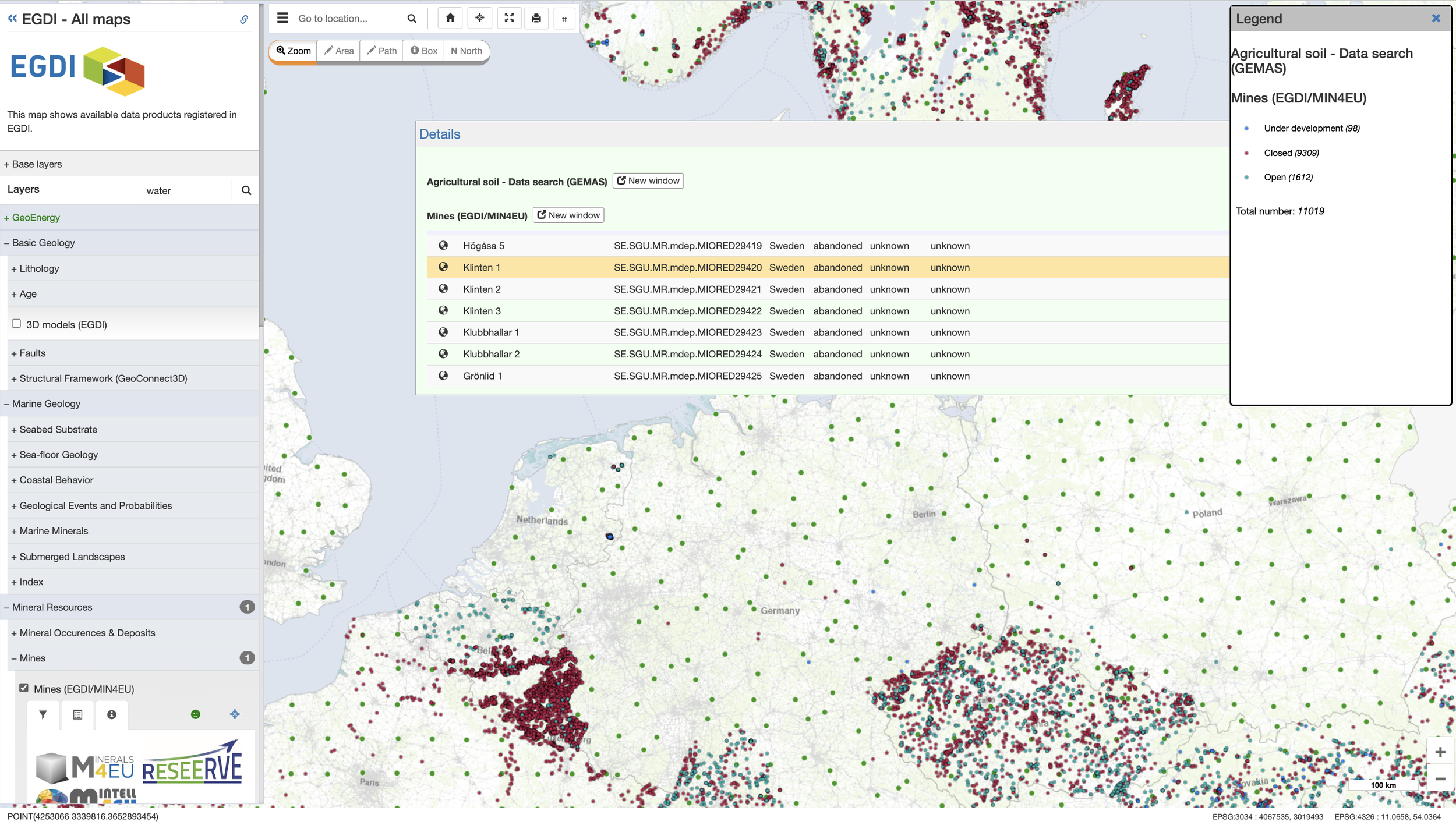
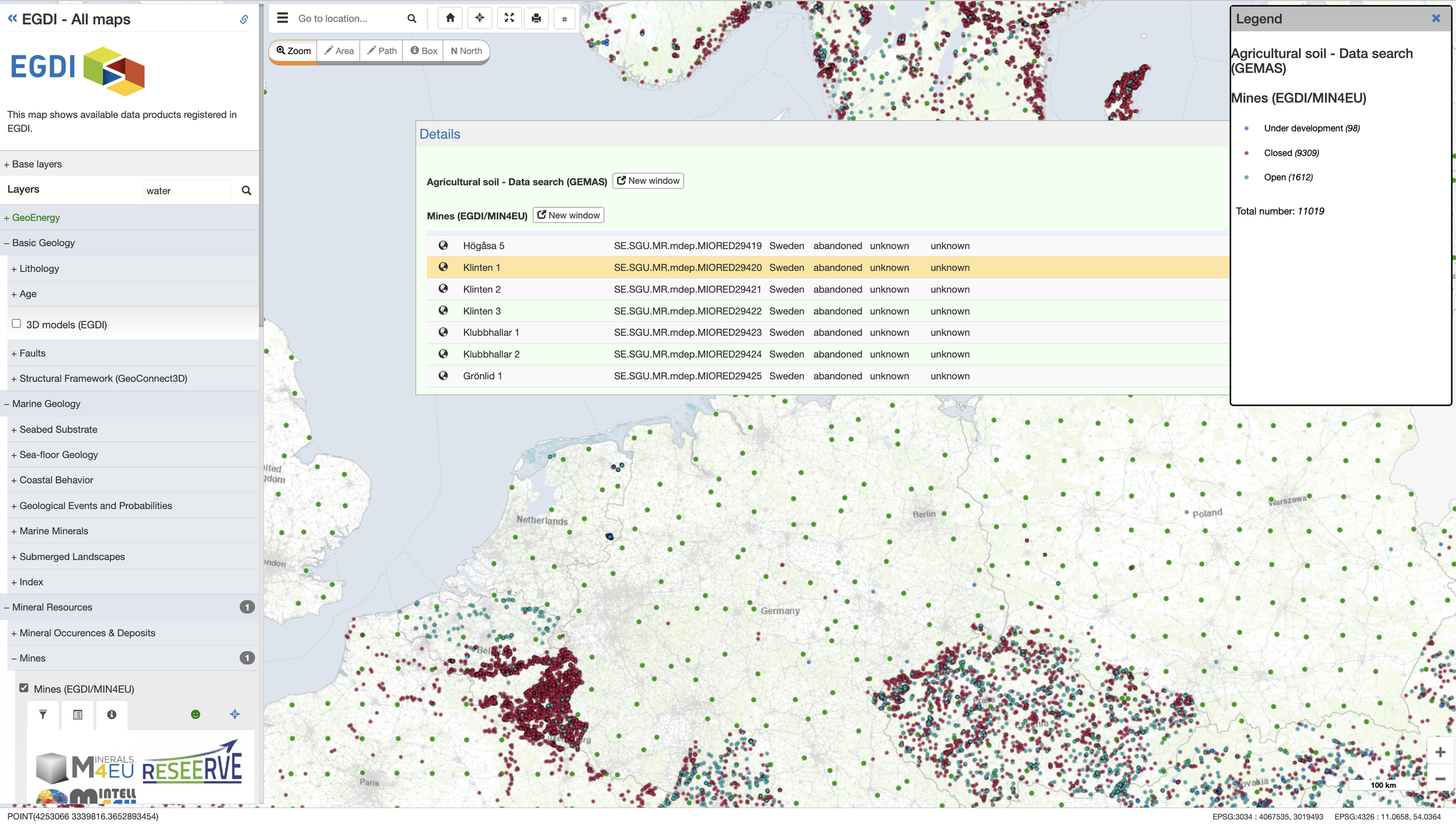
EGDI holds valuable data but is difficult to use for the wider audience. It needs to reach geologists, policy makers, and the public. The barriers:
Finding a layer was hard. Layers were organised by geological terms with no clear path to the right one.
Search guidance was easy to miss. Results were highlighted across several sections in a subtle tint that users often overlooked.
No clear way to manage active layers. Once layers were on, it wasn't obvious how to see, reorder, or adjust them.
Layer details weren't readable. Technical codes and values made sense to specialists, not to first-time users.
The legend was hard to use. Legends were uploaded images of varying quality, and two layers' legends couldn't be viewed at once.
No way to print. Users could only screenshot, which didn't fit EGDI's goal of being a recognised, citable platform.
BEFORE

The solution
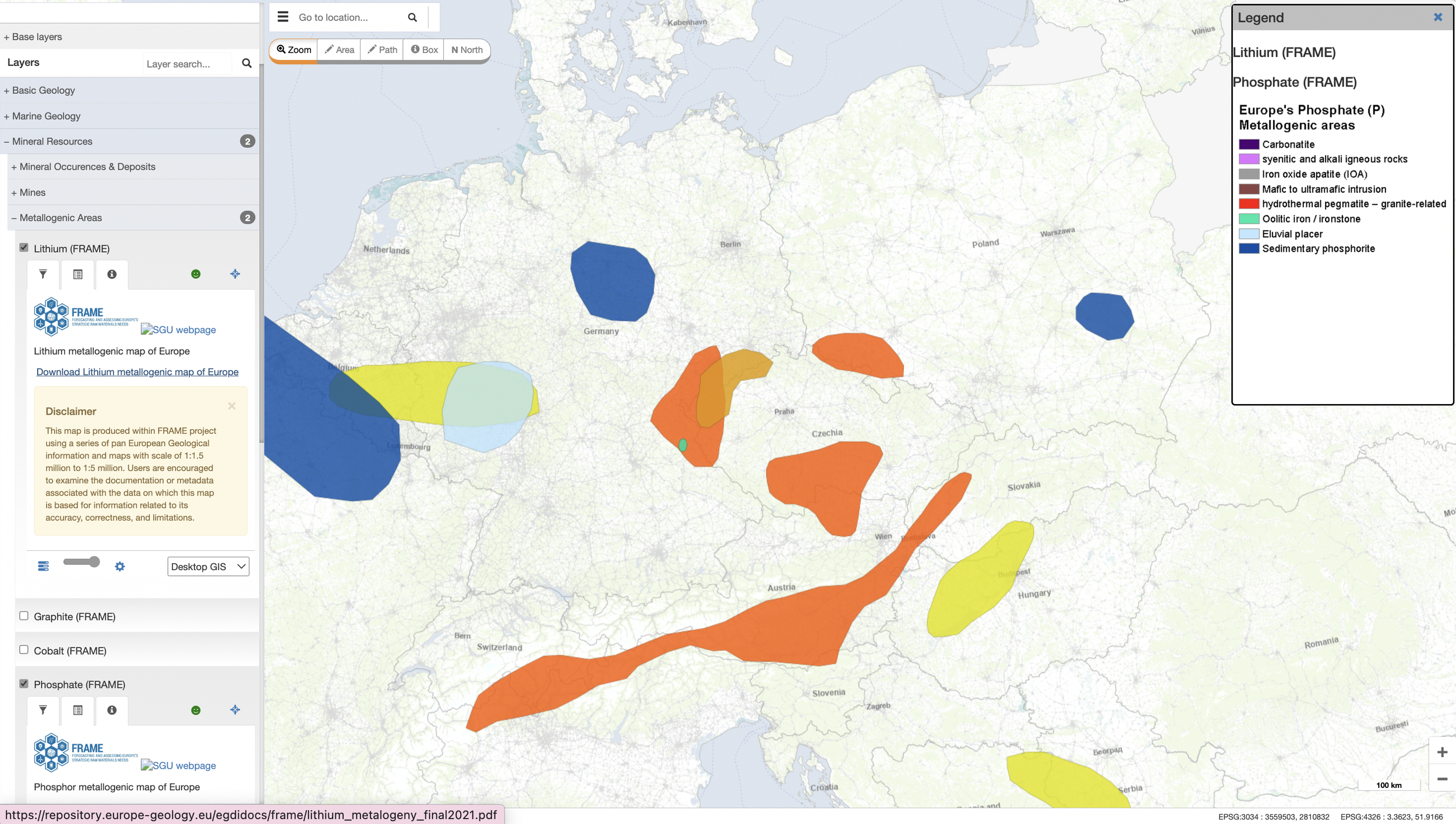
A redesigned Map Viewer built around two connected parts — a Catalogue to find and add layers, and a Control Panel to see and manage them:
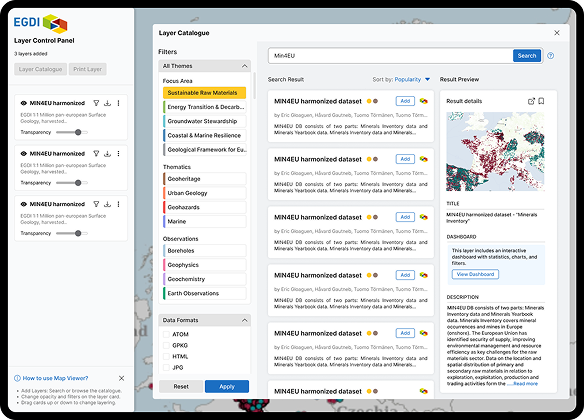
Find a layer fast. The Layer Catalogue replaced the endless menu with search and filtering — the same three-column model as Data Search — so users locate a layer by keyword instead of scrolling hierarchies.
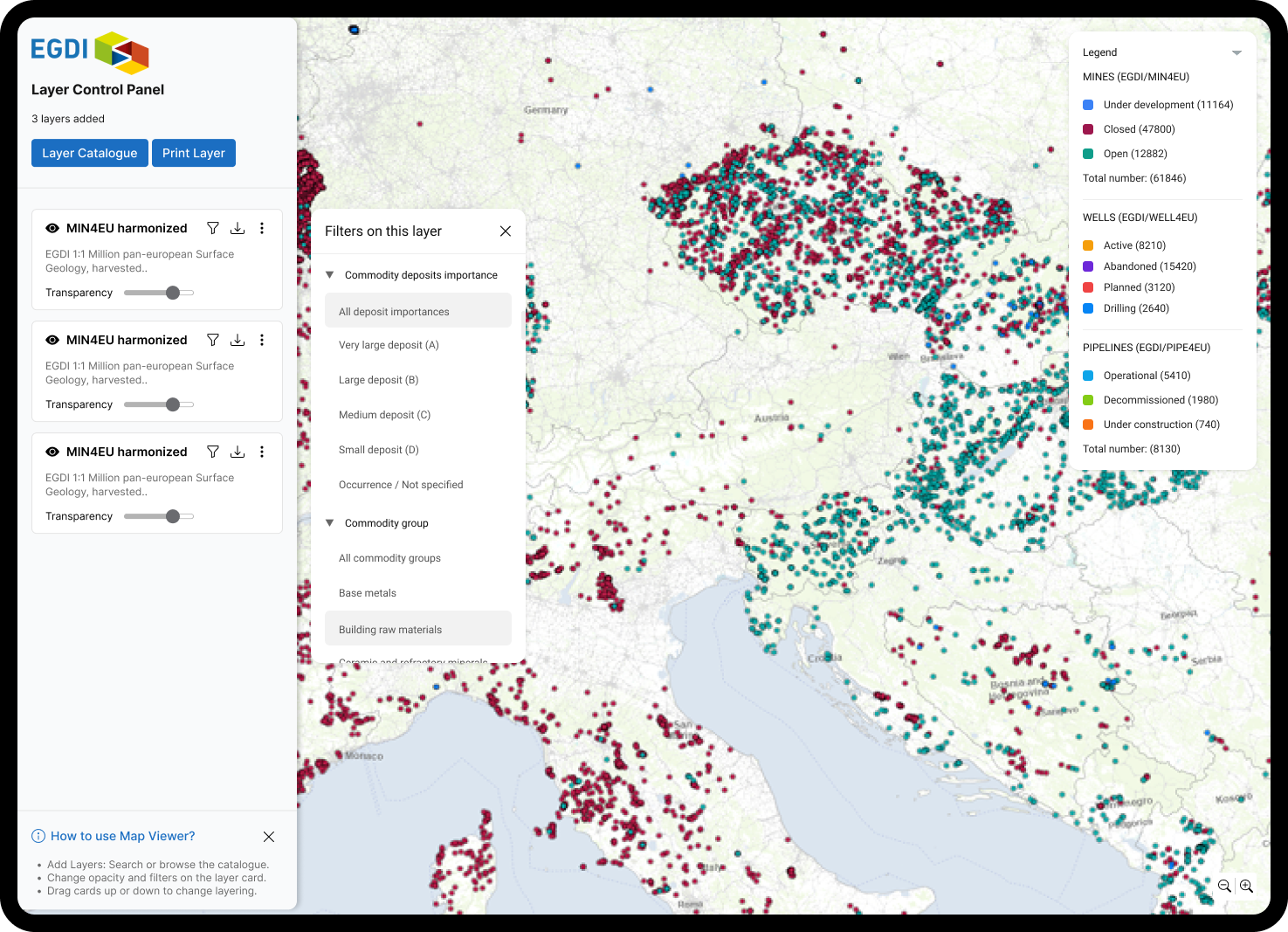
One place to manage active layers. Everything added lives in the Layer Control Panel: reorder by dragging, toggle visibility with an eye icon, and never lose track of what's on the map.
Readable, layer-by-layer control. Per-layer filters and transparency let users refine and compare stacked layers directly, without removing anything or losing their setup.
Consistent across the platform. The Catalogue shares Data Search's structure, bringing one coherent way to browse 20+ years of non-uniform data.
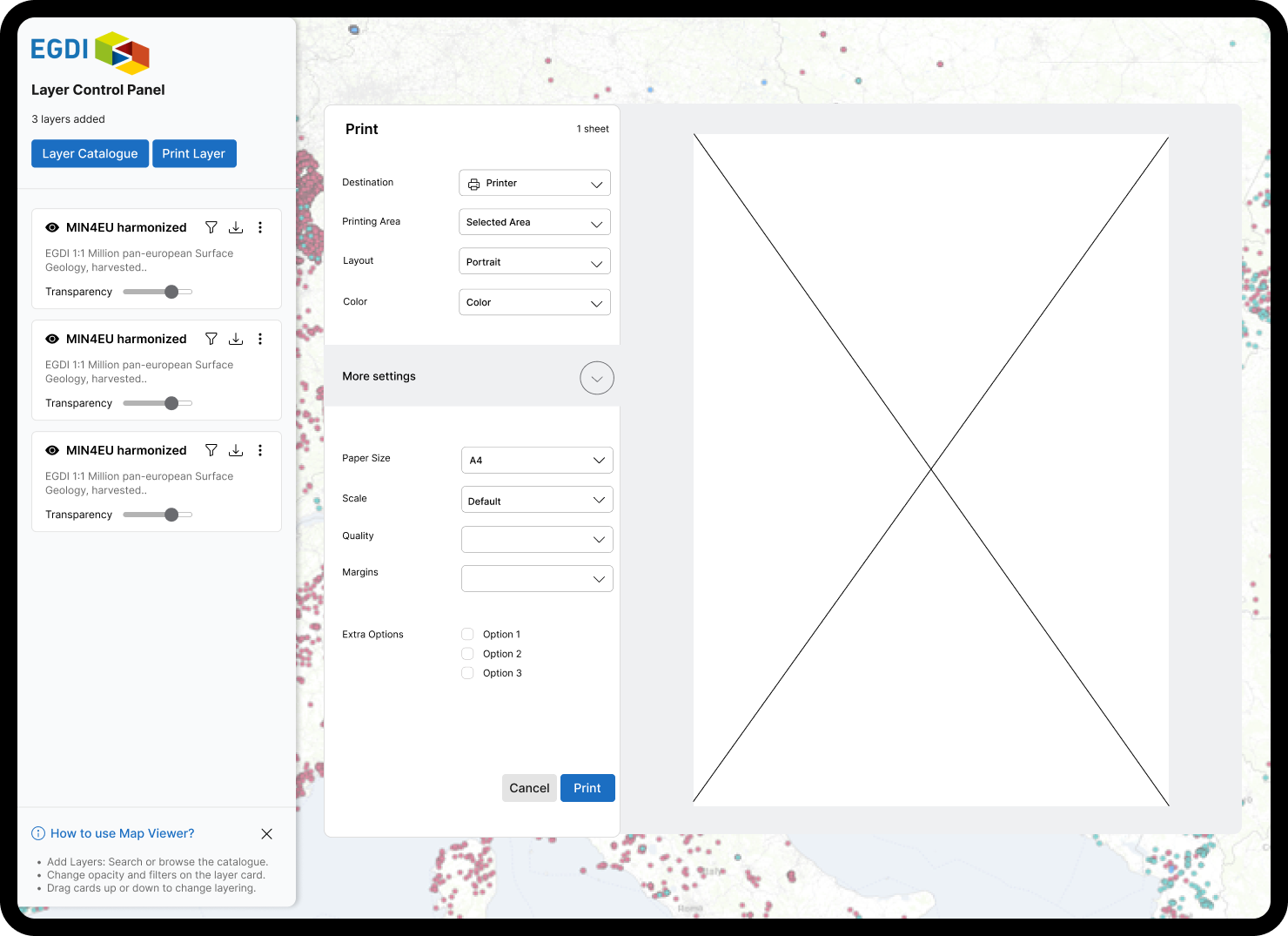
Shareable output. Print is synced to the Control Panel — the printed map matches the screen exactly, so work can be cited, not just screenshotted.
AFTER
Data Search (Before and After)
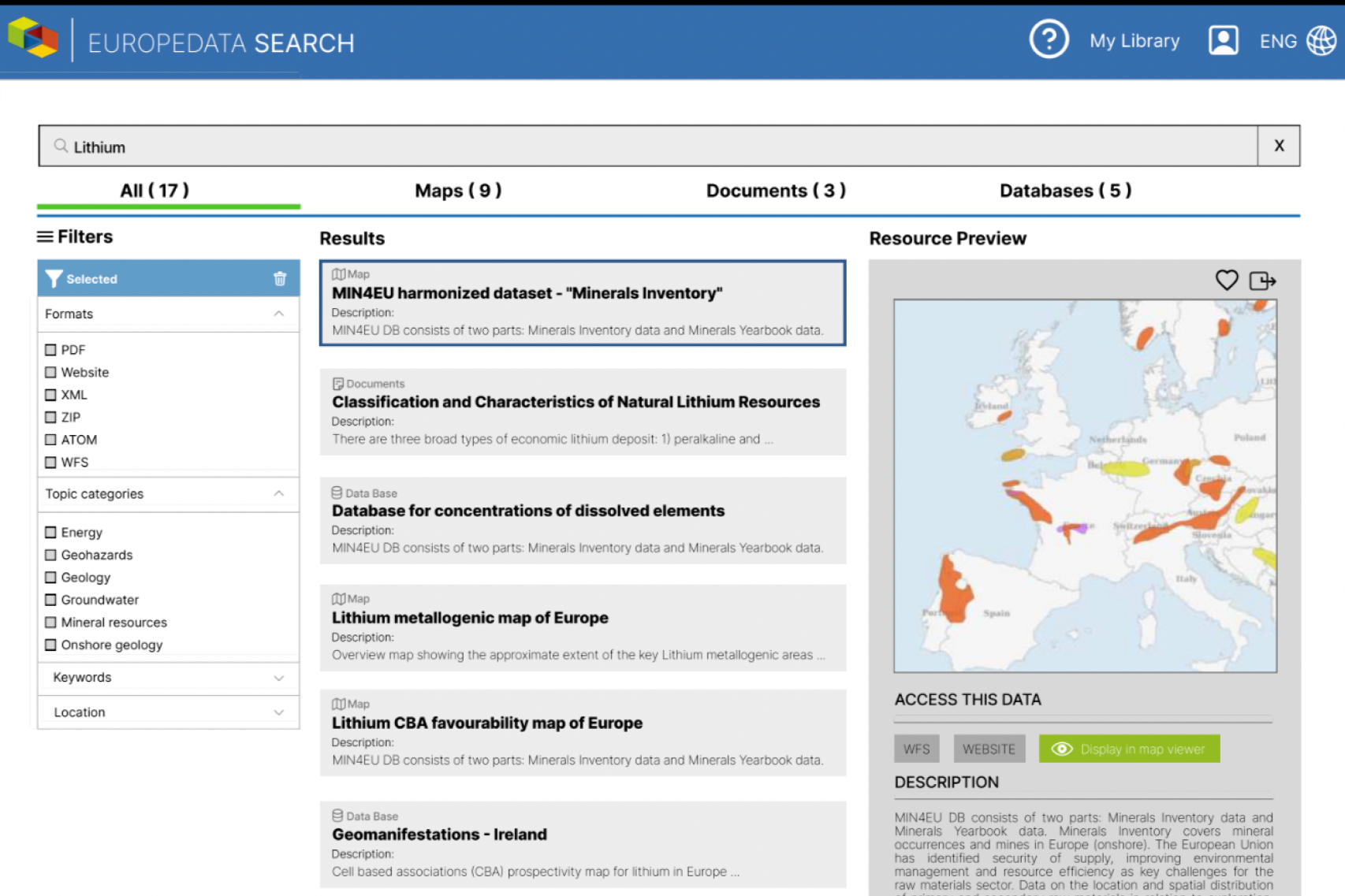
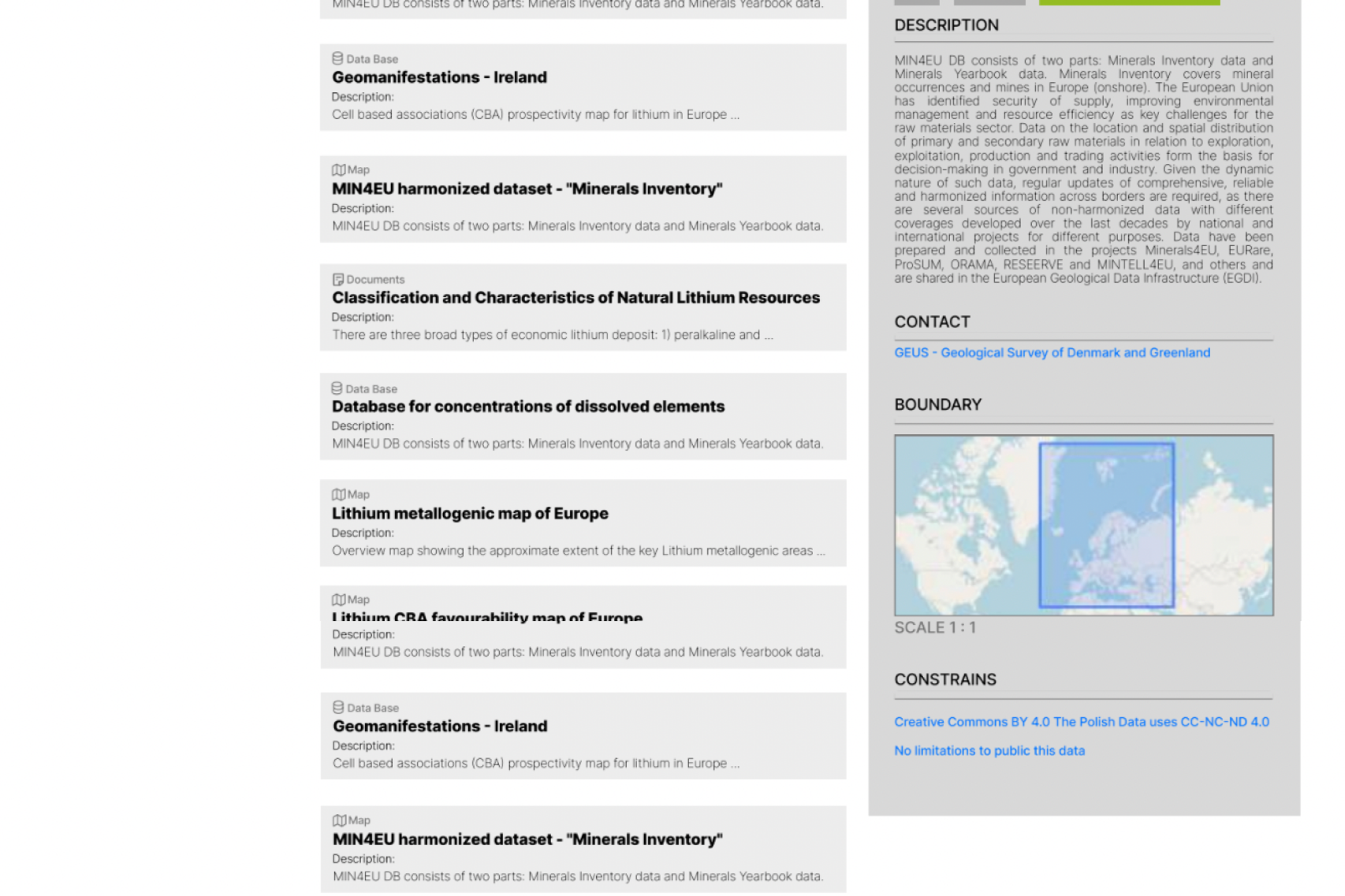
Data Search held a huge amount of information, but no clear path to a result. For the audience EGDI needed to reach, the barriers were:
Too much, unexplained. Many functions and buttons were available but unlabelled for a non-specialist — powerful, but with no clear reason for being there.
Results were a single crowded column. One list did all the work, with no way to preview a result before committing to it.
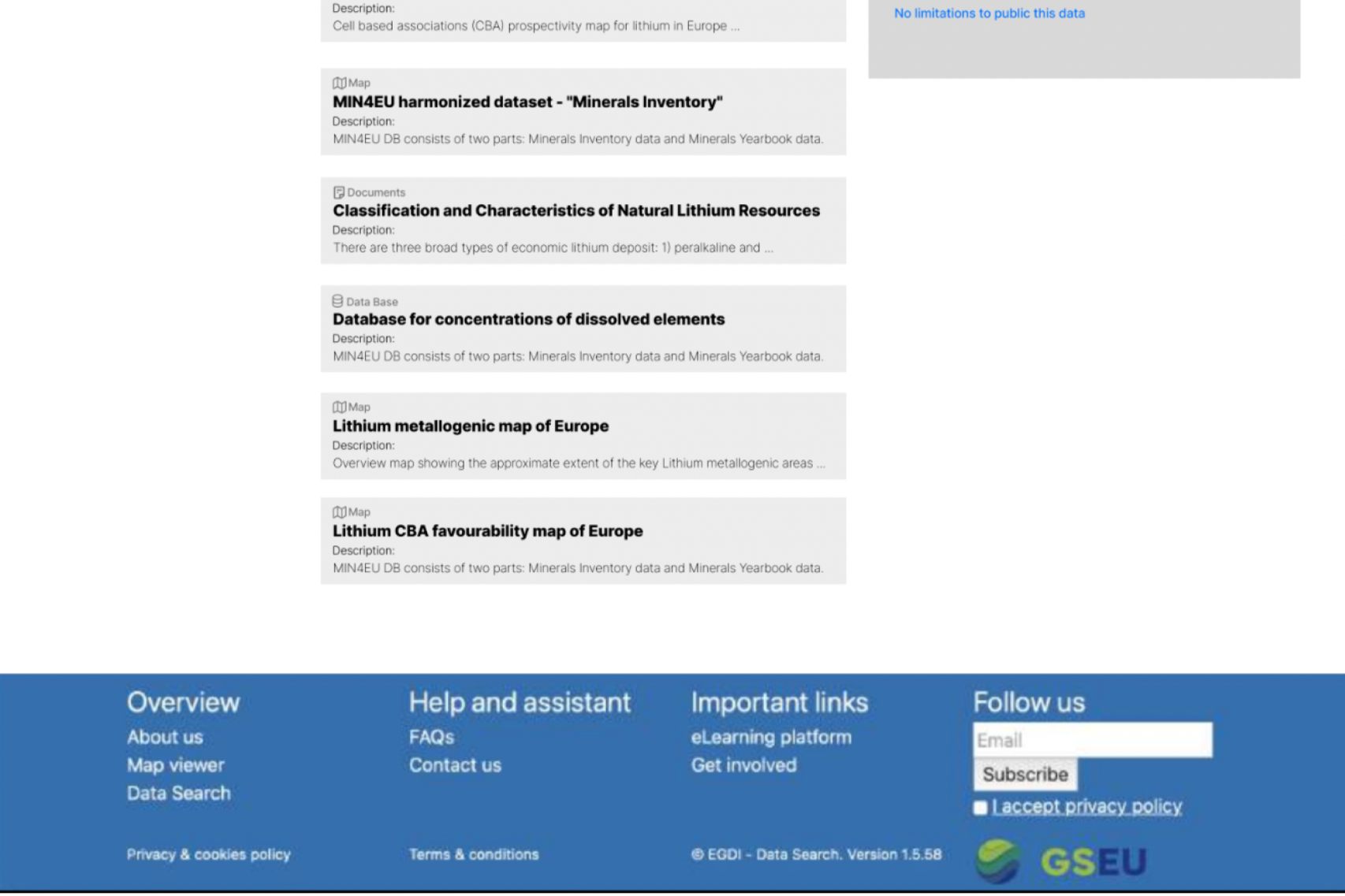
Overloaded result cards. A single card could hold dozens of links and sources, burying the actual result in extra options.
Separate knowledge hubs, no home. Related data collections lived apart, with a further hub planned as yet another page rather than part of the search.
BEFORE
The Solution:
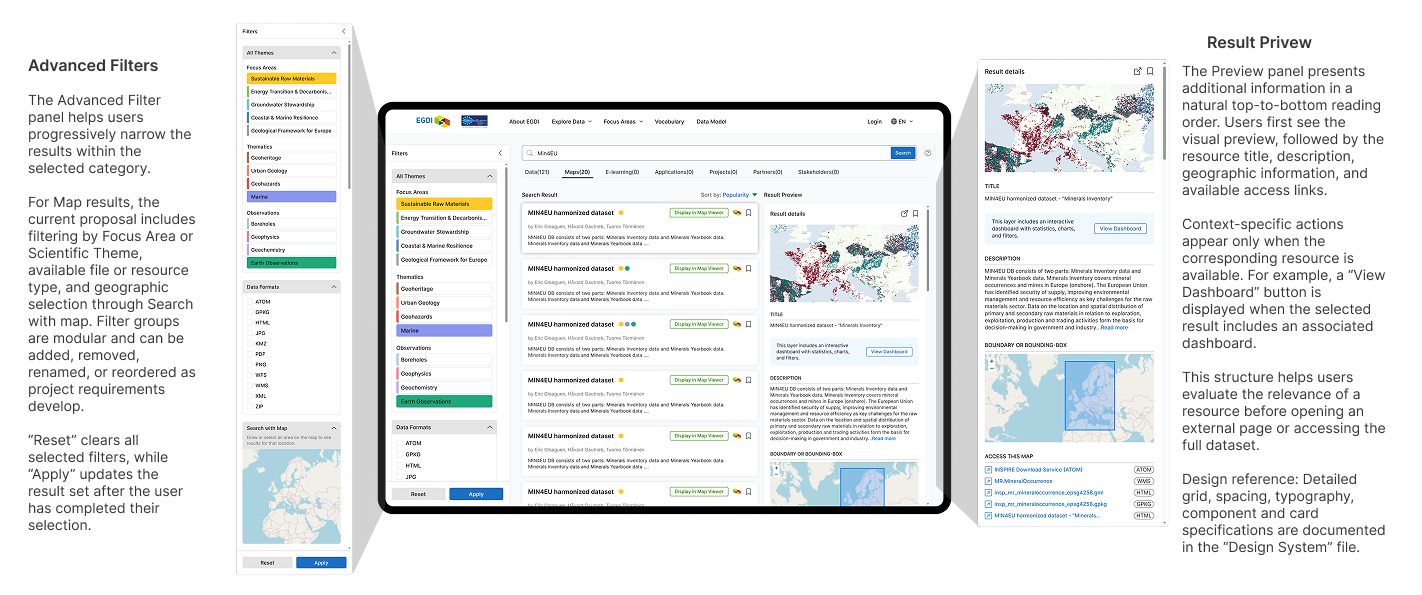
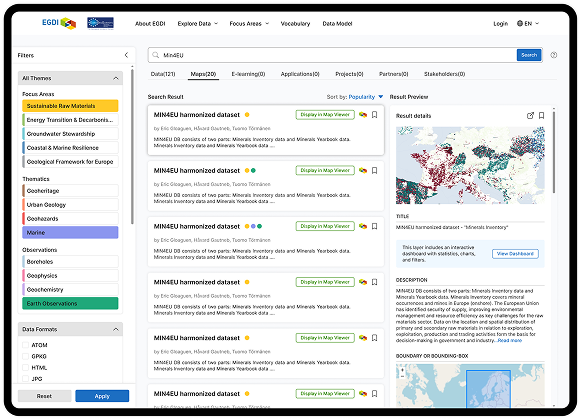
A single, consistent Search interface that brings EGDI's data, knowledge content, and related resources into one place.
One search, all resource types. Category tabs let users move between data, maps, knowledge content and more without leaving Search or starting over. The filters and results adapt to whichever category is selected.
Three columns, always visible. Filters, results, and a preview stay on screen together, so users can scan, refine, and inspect without losing their place.
Preview before you commit. The preview panel shows a result in natural reading order — visual, then title, description, location, and access links — so users can judge relevance before opening an external page or the full dataset.
Context-aware actions. Options appear only when they apply — a "View Dashboard" button shows only when the result actually has one — so cards stay clean instead of overloaded with every possible link.
Filters that narrow, not overwhelm. Advanced filters let users progressively narrow results by theme, file type, or geography, with clear Reset and Apply so they stay in control.
AFTER
I really enjoyed working with Karina on the EGDI data platform. Her UX and visual design skills are excellent, but what sets her apart is her ability to truly listen and understand client needs. She consistently (and nicely) turns complex requirements into clear and effective user experiences. A young talent any team would value.